





Most wireless lighting guides list products and call it a day. This one doesn’t. After years of working with smart home installations from single-room setups to 200-device commercial deployments, there are patterns, pitfalls and hidden costs that simply don’t make it into most buyers’ guides.

Wireless lighting has matured enormously. Systems that felt like novelties five years ago are now practical, reliable and genuinely energy-saving. But they still require informed decisions. The wrong protocol choice, a misplaced hub, or a subscription-gated platform can turn a dream setup into a frustrating money pit.
This guide covers the 10 best wireless lighting solutions, explains how they work under the hood and critically tells you what most competing articles ignore: the failure modes, the real costs, the myths and the expert-level decisions that separate a setup that works beautifully from one that doesn’t.
How Wireless Lighting Actually Works
At its core, a wireless lighting system replaces the physical wire between switch and bulb with a radio signal. But the technical architecture varies significantly depending on which protocol a system uses, and that architecture determines reliability, range, latency and long-term scalability.
The Four Core Architectures
Understanding these four models helps you make smarter buying decisions:
- Direct Wi-Fi: Bulb connects to your router directly. No hub needed, but each bulb is a network device. Works well for small setups; can overwhelm routers with 10+ devices.
- Hub-and-Spoke (Zigbee/Z-Wave): A dedicated hub translates between your app and the bulbs. More reliable at scale; the hub is a single point of failure but also enables local processing.
- Bluetooth Mesh: Devices relay signals peer-to-peer. Simple, no hub, works offline, but the weakest link in the chain limits range.
- Thread + Matter: The newest architecture. Thread creates a resilient IPv6 mesh; Matter is the application layer that ensures cross-brand compatibility. Most future-proof option as of 2026.
Protocol Comparison, briefly
| Protocol | Range | Hub Needed? | Works Offline? | Best For | Power Use |
| Wi-Fi | 50–100m | No | No (mostly) | Remote access, small homes | Medium |
| Zigbee | 10–30m / mesh | Yes | Yes (local hub) | Multi-room homes | Very Low |
| Bluetooth Mesh | 10–20m | No | Yes | Rentals, simple setups | Very Low |
| Thread | Mesh, 200+ nodes | Border router | Yes | Large homes, future-proof | Ultra Low |
| Matter | Depending on transport | Optional | Partial | Cross-brand ecosystems | Varies |
Important nuance: Matter is not a radio protocol; it’s an application-layer standard. A Matter device still uses Wi-Fi or Thread as its radio transport. Confusing these two is one of the most common buyer mistakes.
The 10 Best Wireless Lighting Solutions in 2026
These solutions were evaluated on reliability, ecosystem longevity, protocol quality, real-world user feedback and value, not just spec sheets.
1. Smart LED Bulbs with Adaptive Brightness
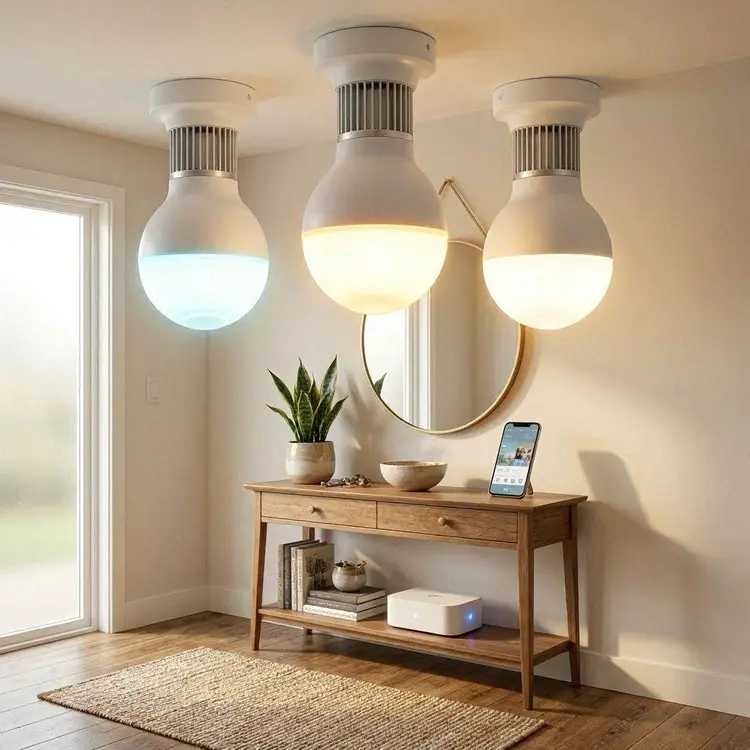
The entry point for most people. Smart LED bulbs replace standard bulbs and connect directly to your app or smart home hub. The best modern versions go beyond simple on/off: they read ambient light sensors and automatically adjust to maintain consistent lux levels throughout the day.
What makes a smart bulb genuinely good in 2026: A CRI (Colour Rendering Index) of 90+ means colours look true; a warm-to-cool range of 2,700K–6,500K covers everything from evening reading to daylight tasks. Look for bulbs with local control fallback; if the cloud goes down, the light still works.
Best for: Renters, bedrooms and first-time smart home adopters.
Watch out for bulbs that require the brand’s cloud; if the service shuts down (it has happened), you lose functionality entirely.
2. Bluetooth Mesh Lighting Systems
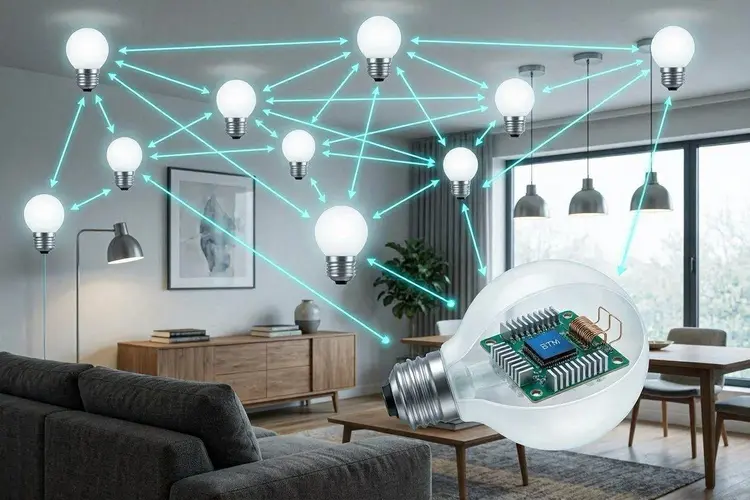
Bluetooth mesh allows dozens of lights to form a network without a hub; each bulb relays signals to the others. Modern implementations using the Bluetooth Mesh 1.1 specification are far more reliable than early versions. The practical advantage: zero single point of failure. No hub means one fewer device to manage, one fewer thing to break. Ideal for hospitality environments (hotels, Airbnbs) where guests can’t be expected to troubleshoot.
Best for: Rental properties, small businesses and anyone who wants simplicity.
Real limit: Bluetooth mesh tops out at about 50–70 devices before latency and routing complexity become noticeable. For larger deployments, Zigbee or Thread is more appropriate.
3. Wi-Fi-Enabled Ceiling Panels
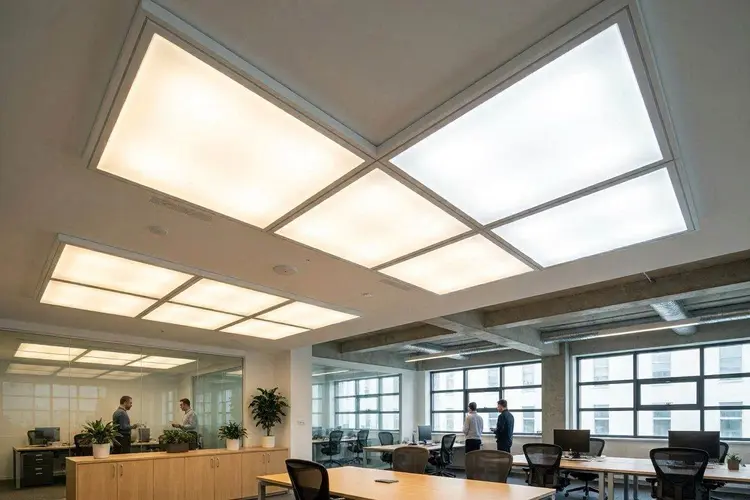
These fixtures integrate the smart controller directly into the panel; no separate bulb or module is needed. Popular in office retrofits and modern open-plan spaces, they offer clean aesthetics and are typically tunable white (adjusting from warm to cool light temperatures on a schedule).
The real advantage for offices: they support daylight harvesting sensors that measure natural light entering through windows and dim artificial lighting proportionally, cutting energy use by 30–60% in well-positioned rooms, according to ASHRAE lighting benchmarks.
Best for: Offices, conference rooms and open-plan commercial spaces.
Hidden cost: Daylight harvesting sensors require recalibration every 12–18 months, or efficiency gains erode. Budget for this in commercial installations.
4. Motion-Sensor Wireless Lights
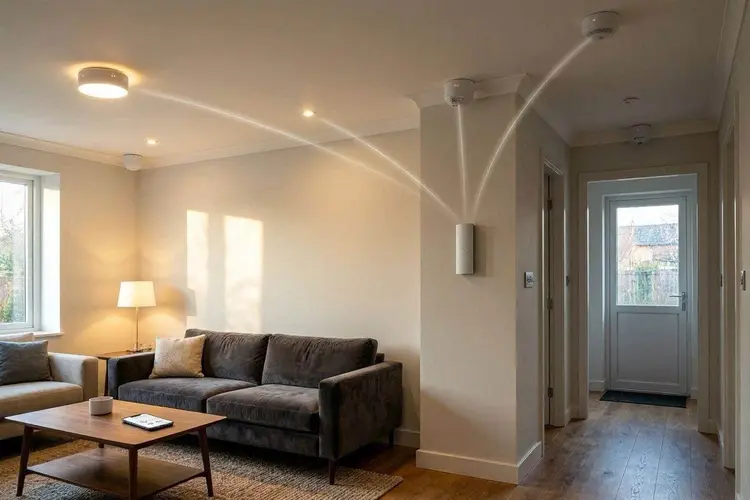
PIR (Passive Infrared) motion sensors have been around for decades, but wireless integration makes them dramatically more useful. Modern systems go beyond simple on/off: they can distinguish between occupancy (someone in the room) and vacancy (the room just went empty), with configurable time delays and lux thresholds.
A well-configured motion-sensor system in a corridor or bathroom can reduce lighting energy use by 40–70% compared to always-on fixtures. The key variable is sensor placement; a sensor that can’t see the full room misses occupants and turns lights off while people are still present.
Best for: Hallways, staircases, garages, outdoor paths and utility areas.
Expert tip: Mount sensors at 2.2–2.4m height for optimal coverage. Avoid pointing them at windows (false triggers from passing cars) or HVAC vents (heat signature interference).
5. Solar-Powered Smart Lights
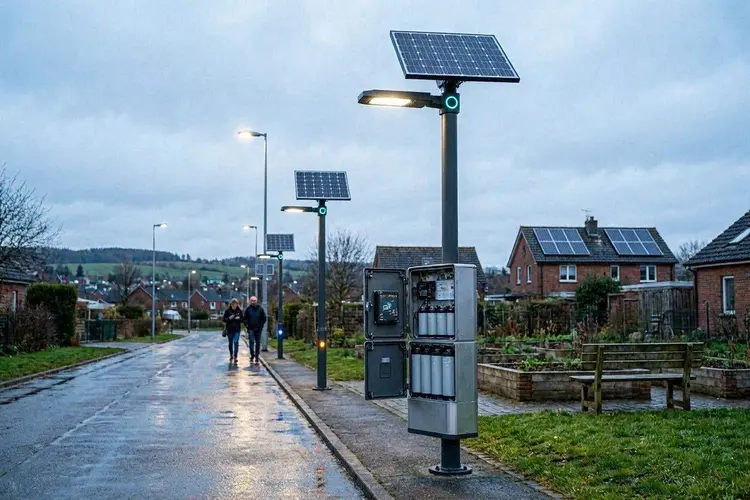
Solar wireless lighting has matured significantly. Quality systems now include battery buffers large enough to sustain 3–5 days of operation through overcast conditions, eliminating the unreliability that plagued earlier products.
The smart integration layer adds genuine value: geofencing that brightens lights when you approach home, adaptive dimming that extends battery life on low-sun days; and integration with security cameras so lights trigger when cameras detect motion, not just generic movement.
Best for: Garden paths, driveways, outdoor perimeter security and areas without mains power access.
Real limitation: In climates below 45° latitude with long winters, solar panels mounted at fixed angles may underperform significantly from November to February. Factor in local solar hours before buying.
6. Voice-Controlled Ambient Lights
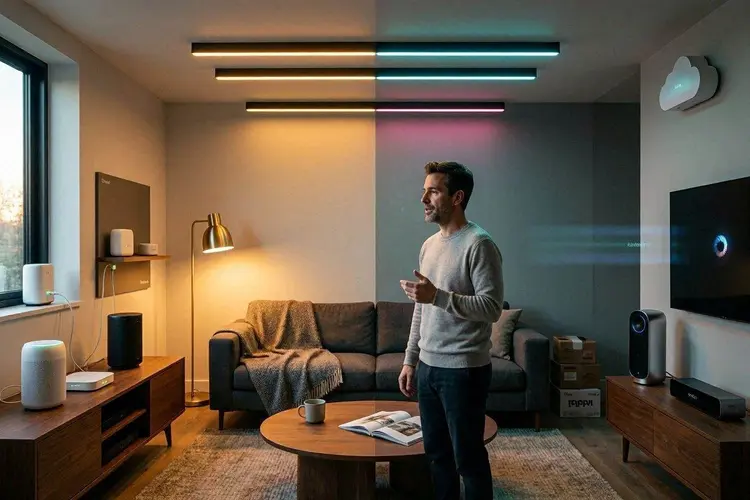
Voice control is now standard across all major platforms (Alexa, Google Assistant, Apple HomeKit via Siri and Samsung SmartThings). But the quality of integration varies substantially between brands. The meaningful distinction in 2026: local processing vs cloud-dependent voice control.
Systems that route commands through the cloud add 300–800ms of latency and fail when your internet drops. Matter-certified devices with Thread transport increasingly support local voice processing commands that never leave your network.
Best for: Living rooms, kitchens and accessible homes (mobility-impaired users benefit enormously from reliable voice control).
Myth: ‘Works with Alexa’ means full integration. Reality: the certification threshold is very low, often limited to on/off and basic dimming. Colour control and scenes frequently require the native app.
7. Smart LED Strip Lighting for Dynamic Ambience
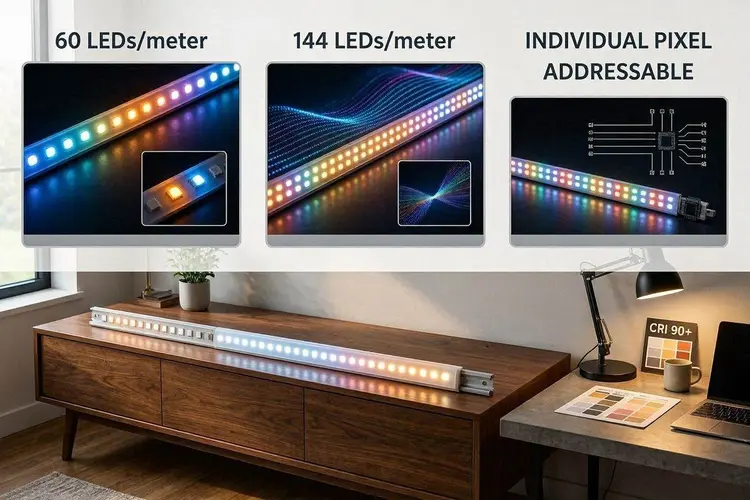
LED strips have evolved from a novelty to a serious design tool. The meaningful specs to compare in 2026: LED density (60 LEDs/metre is minimum for smooth gradients; 144/m is premium), individual pixel addressability (each LED is controllable independently for flowing effects) and CRI rating for task-adjacent installations.
RGBWW strips (Red, Green, Blue, Warm White and Cool White) produce far more accurate colours than RGB-only, because mixing pure RGB primaries produces colours that look oversaturated and artificial in practice.
Best for: Under-cabinet task lighting, TV backlighting (bias lighting reduces eye strain), architectural accents, entertainment spaces.
Common mistake: Buying strips based on “16 million colours” marketing claims without checking CRI or white point accuracy. A strip with a CRI of 70 will make food look unappetising and skin tones look ill.
8. Battery-Operated Wireless Lamps
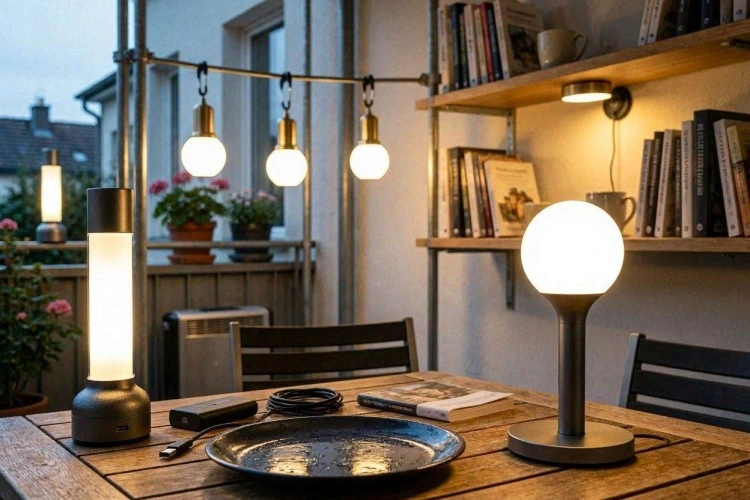
Portable wireless lamps solve a real problem: spaces where running cables are impractical, outdoor dining tables, bookshelves, temporary installations and rental apartments with strict no-drill rules. The best modern versions are USB-C rechargeable with 8–20 hours of runtime and IP44+ weather resistance for outdoor use.
The smart integration piece is worth evaluating carefully. Lamps that connect via Bluetooth and work with a simple app offer useful scheduling (automatically dim at 10 PM). Integration into full home automation requires Wi-Fi or Zigbee, which increases cost and complexity.
Best for: Dining tables, bedside reading, outdoor entertainment and rental spaces.
9. Li-Fi Enabled Lighting Systems
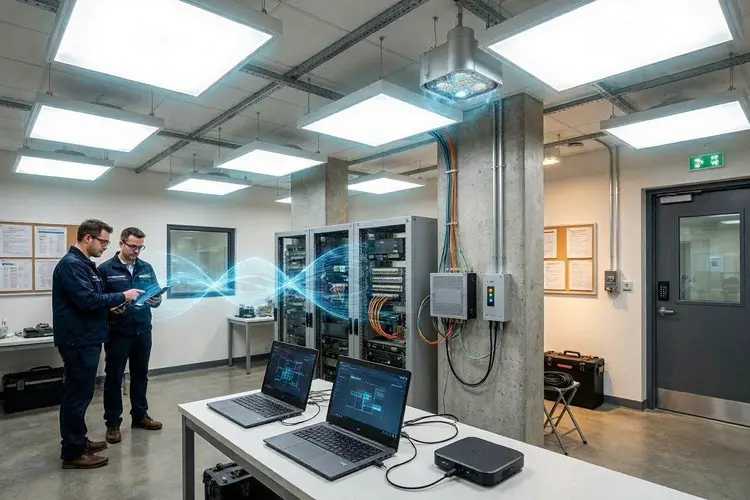
Li-Fi (Light Fidelity) uses modulated light waves to transmit data at speeds currently reaching 224 Gbps in lab conditions and 1–10 Gbps in deployed commercial environments. It represents a genuine convergence of illumination and high-speed data infrastructure.
Practical reality for 2026: Li-Fi remains commercially viable primarily in specific enterprise contexts, secure government facilities (light doesn’t penetrate walls, making interception physically difficult); RF-sensitive environments like hospitals and aircraft; and high-density office environments where Wi-Fi congestion is problematic.
For residential use, Li-Fi is not yet cost-competitive. The infrastructure cost per access point ($500–$2,000+) and requirement for line-of-sight positioning make it a specialist solution, not a mainstream one despite enthusiastic media coverage suggesting otherwise.
Best for: Secure commercial environments, RF-sensitive facilities and high-density enterprise deployments.
Overhyped for: Residential use. Don’t let enthusiasm about technology lead to premature investment in home setups.
10. AI-Driven Lighting Automation
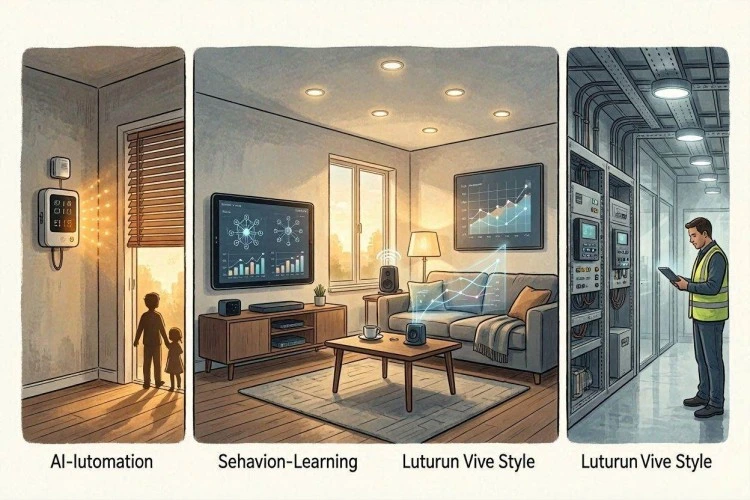
The ‘AI’ label in consumer lighting covers a wide spectrum. At the basic end, it means rule-based scheduling with occupancy logic: lights dim at sunset and brighten when you wake up. At the sophisticated end, genuine machine learning systems build behavioural models: recognising that you always want 3,000K warm light in the living room on Friday evenings and preparing the scene without being asked.
The commercial-grade systems (Lutron Vive, Casambi and Enlighted) genuinely achieve this. Consumer products from major brands are getting closer but still require weeks of occupancy data before patterns stabilise meaningfully.
The most useful near-term AI feature is energy optimisation that analyses your usage patterns and HVAC schedules together, dimming lights in rooms that are warming up and would benefit from reduced heat load, reducing both lighting and cooling energy simultaneously.
Best for: large homes, offices and anyone willing to invest in a 2–4 week learning period for meaningful automation.
When Wireless Lighting Fails: Interference & Real-World Problems
Every guide covers what happens when wireless lighting works. Few cover what happens when it doesn’t and understanding the failure modes is essential for making reliable purchase decisions.
| Failure Scenario | Why It Happens | How to Prevent It |
| 2.4GHz congestion (apartments) | Zigbee & Wi-Fi bulbs share the 2.4 GHz band. Dense buildings create RF noise. | Use Zigbee channels 15, 20, or 25; they avoid Wi-Fi channel overlap. |
| Range collapse in concrete buildings | Reinforced concrete severely absorbs 2.4 GHz signals. Works in wood-frame houses, fails in concrete apartments. | Pre-install: test with a Zigbee repeater or switch to Thread (better penetration). |
| Hub inside the metal cabinet | A Zigbee or Thread hub placed inside an A/V cabinet loses 60–70% of its effective range | Mount the hub in open air, centrally positioned. Elevated positions improve coverage. |
| Firmware update kills automations | Several major brands push OTA firmware at 2–3 AM, temporarily disabling scheduled automations. | Disable auto-update; review and manually apply firmware on a schedule. |
| Protocol conflicts in mixed ecosystems | Hue (Zigbee), LIFX (Wi-Fi), and Govee (Bluetooth) in one room cause conflicting automations. | Standardise on one protocol per zone; use Matter as the unifying layer where possible. |
True Cost of Wireless Lighting: What the Spec Sheet Doesn’t Tell You
The upfront product cost is only part of the financial picture. Before committing to a wireless lighting platform, run through these hidden cost categories:
| Cost Category | What It Involves | Real-World Impact |
| Hub subscriptions | Platforms increasingly paywall features post-purchase via firmware. | Features free at purchase may cost $5–15/month within 2 years. |
| Phantom standby power | Smart bulbs draw 0.3–1W continuously even when ‘off’ to stay network-connected. | 30 bulbs × 0.5W = 15W continuous. ~$15–20/year extra on electricity. |
| Platform deprecation risk | Insteon shut down entirely in 2022. SmartThings dropped Wink support. Your $400 system can become a doorstop. | Always choose platforms with local control fallback — your system should survive cloud shutdown. |
| Network infrastructure | Large Zigbee installs may need a dedicated IoT VLAN, a stronger router, or additional coordinators. | Budget $100–300 for network upgrades if deploying 50+ devices. |
| Recalibration (commercial) | Daylight harvesting sensors drift and require professional recalibration. | Every 12–18 months; typically, $150–400/visit depending on system size. |
The standby power point is especially worth calculating. Manufacturers subtract it from efficiency comparisons but rarely publish it transparently. A system that saves 80% on active lighting energy while drawing significant phantom load may net out at 60–65% real-world savings.
Myth vs. Reality: What the Smart Lighting Industry Overpromises
| The Claim | The Reality | What to Verify Instead |
| ‘Works with Alexa/Google’ means full integration | Certification only requires basic on/off and dim. Colour, scenes, and schedules often need the native app. | Test the exact features you need before buying. Check user reviews specifically for your assistant. |
| ‘Smart bulbs always save energy. | Phantom standby draw (0.3–1 W per bulb) must be subtracted from savings. Often omitted from manufacturer data. | Calculate the following: (active savings) minus (standby draw × hours off per day × bulb count). |
| ‘Matter solved the compatibility problem. | Matter adoption is fragmented. Hue scenes don’t map fully across ecosystems. Thread border routers remain brand-specific in most setups. | Matter is a strong foundation but verify specific features that work cross-brand before building a mixed ecosystem. |
| ‘Wireless = easy installation’ | True for single bulb swaps. For whole-home systems, hub placement, DHCP reservation, VLAN setup, and mesh planning are required. | For 20+ devices, allocate time for network planning or hire a smart home installer. |
| ‘AI lighting learns your preferences fast.’ | Consumer ‘AI’ is mostly rule-based scheduling. Genuine pattern learning takes 2–4 weeks of data. Commercial systems (Casambi, Enlighted) are meaningfully ahead. | Ask vendors: Is this rule-based automation or genuine ML? Request documentation. |
| ‘Li-Fi is ready for home use. | $500–2,000+ per access point, line-of-sight required, no consumer ecosystem. Li-Fi is enterprise/specialist technology in 2026. | Revisit in 2028–2030 for residential feasibility. For now, prioritise Thread for futureproofing. |
Which Protocol Should You Choose? A Framework Used by Installers
Specification comparisons exist everywhere. What’s harder to find is the actual decision logic that experienced smart home installers apply when sizing a system. Here it is:
| Your Situation | Recommended Protocol | Why | Products to Consider |
| Under 10 devices, 1–2 rooms | Bluetooth or Wi-Fi | No hub needed; simple app control sufficient; low complexity | Govee, LIFX, TP-Link Tapo |
| 10–50 devices, multi-room home | Zigbee + quality hub | Mature ecosystem; local processing; works offline; reliable mesh | Philips Hue, IKEA Tradfri, Conbee II hub |
| 50+ devices, large home or office | Thread and matter or commercial platforms | Zigbee coordinator bottlenecks above ~100 devices; Thread handles scale | Eve, Nanoleaf, Lutron Vive (commercial) |
| Rental property or Airbnb | Bluetooth standalone | No hub = no single point of failure; guests can’t break the system | Sengled, Hombli Bluetooth range |
| Privacy-first or off-grid setup | Zigbee2MQTT / Home Assistant | All data stays local, with no clouds, for full control. It works without internet indefinitely | Any Zigbee device + Home Assistant on a Raspberry Pi or mini-PC |
Step-by-Step: How to Choose the Right Wireless Lighting System
Use this process before spending anything:
- Map your space: Count rooms, measure area and identify structural materials (wood frame vs. concrete). Concrete significantly limits Bluetooth and Zigbee range.
- Count your devices: Under 10: keep it simple. 10–50: you need a hub. 50+: You need a mesh-first protocol and network planning.
- Define your control priorities: App-only is simple. Voice control adds cloud dependency. Local-only (Home Assistant) gives maximum reliability and privacy.
- Choose your ecosystem anchor: Pick one primary brand/platform and build around it. Mixed ecosystems work but require more technical management.
- Calculate true cost: Include the following: product cost + hub + potential subscriptions + network upgrades + phantom standby power over 5 years.
- Test before committing: Buy 2–3 bulbs and test protocol reliability in your specific environment before purchasing the full system.
- Plan for longevity: Does the platform have local control fallback? Is it cloud-dependent? Has the company been stable for 5+ years?
Scaling Wireless Lighting for Commercial Deployments
The dynamics of wireless lighting change fundamentally at commercial scale. What works for a 30-bulb home installation becomes inadequate technically, legally and operationally in a 500-device office deployment.
Mesh Coordinator Bottlenecks
Zigbee networks have a practical ceiling. Most implementations begin showing latency degradation above 100 devices per coordinator, with meaningful reliability issues above 150. For commercial deployments, this means segmenting your network: multiple coordinators covering defined zones, with careful channel planning to prevent inter-zone interference.
Thread architecturally handles this better; its IPv6 mesh has no theoretical coordinator bottleneck, but Thread infrastructure costs are higher and the commercial ecosystem is less mature than Zigbee for large deployments.
BACnet/IP Integration Requirements
Enterprise buildings use BACnet or Modbus protocols for unified HVAC, lighting and access control management through a Building Management System (BMS). A wireless lighting solution that can’t speak BACnet is effectively unusable in Class A commercial real estate.
The systems that bridge this gap: Casambi (exports to BACnet via gateway), Lutron Vive (native BACnet/IP) and DALI-2 wireless implementations. Specifying these for commercial tenders is standard practice; specifying consumer-grade Zigbee systems is not.
Occupancy Data & Compliance
Commercial wireless lighting systems with occupancy sensors create movement data about building occupants. In GDPR-regulated markets, this data is potentially personal data if it can identify individuals and in high-security environments with CCTV cross-referencing, it often can.
Recommended approach: implement occupancy data retention policies (typically 30–90 days for operational purposes), document your legal basis for processing and ensure data is stored on-premises or in an EU/UK-compliant cloud if subject to GDPR.
Emergency Lighting Compliance
In commercial settings across most jurisdictions, emergency egress lighting is a life safety requirement typically mandated under NFPA 101 (USA) or BS 5266 (UK). Wireless lighting systems generally do not satisfy these requirements on their own; they must be supplemented by hardwired emergency circuits on maintained or non-maintained fittings.
A specification that relies solely on wireless lighting for egress routes is a compliance failure and a liability. Always verify with your local authority having jurisdiction (AHJ) before finalising a commercial lighting design.
Human-Centric Lighting: Science, Application & Practical Setup
Human-centric lighting (HCL), also called circadian lighting, adjusts colour temperature and intensity throughout the day to align with natural daylight cycles. The science behind it is well-established: the melanopsin receptors in the human eye respond to short-wavelength (blue) light, suppressing melatonin production and increasing alertness.
The Circadian Light Schedule
| Time of Day | Recommended Colour Temp | Effect on Occupants | Suitable Spaces |
| 6–9 AM | 3,000–4,000K (neutral) | Gentle wake-up, alertness ramp | Bedrooms, kitchens |
| 9 AM–3 PM | 5,000–6,500K (cool white) | Peak alertness, concentration | Offices, study spaces |
| 3–6 PM | 3,500–4,500K (neutral-warm) | Sustained focus, energy maintenance | Offices, home working |
| 6–9 PM | 2,700–3,000K (warm white) | Relaxation, social atmosphere | Living rooms, dining areas |
| 9 PM–sleep | 2,200–2,700K (very warm) | Melatonin facilitation, sleep prep | Bedrooms, bathrooms |
Implementation note: human-centric lighting only functions as intended if it covers most of the ambient light in a space. A single HCL bulb in a room lit by six standard warm bulbs produces no meaningful circadian benefit. The whole environment must be unable.
Energy Efficiency: What the Numbers Actually Mean
LED-based wireless systems genuinely do consume significantly less energy than incandescent alternatives. But marketing claims are often presented without the full context needed to evaluate them honestly.
Honest Energy Savings Calculation
| Variable | Incandescent (60W equiv.) | Smart LED (800 lumen) |
| Active wattage | 60W | 8–10W |
| Standby (smart) draw | N/A | 0.3–1W |
| Daily energy (8 hrs on, 16 hrs off) | 480Wh | 64–80 Wh + 5–16 Wh standby |
| Annual energy cost (at $0.15/kWh) | ~$26/bulb/year | ~$4.50–5.40/bulb/year (net) |
| Real saving per bulb per year | — | ~$20–22 (not the 90% often claimed) |
The actual savings are substantial, roughly 80–85% per bulb in active use, but the phantom standby load means the real figure is 5–10 percentage points lower than headline claims. For a 30-bulb home, that’s still $600+ saved annually, which covers most system costs within 2–3 years.
6 Common Mistakes When Setting Up Wireless Lighting
- Choosing protocol before mapping space: Test signal strength in your actual environment before committing. What works in a showroom may not work in your concrete apartment.
- Buying into a cloud-only ecosystem: Always verify whether the system works without the internet. Several major brands lost cloud connectivity for hours or days in documented outages.
- Ignoring hub placement: Putting a Zigbee or Thread border router inside a media cabinet or behind a TV can cut effective range by more than half.
- Mixing too many protocols: A mix of Zigbee, Wi-Fi and Bluetooth devices creates management complexity and automation conflicts that grow over time.
- Skipping the pilot test: Buy 3–4 devices and test your specific space before purchasing a complete system. Return windows exist for a reason.
- Neglecting firmware management: Smart lighting devices receive security patches. Devices running outdated firmware are network vulnerabilities, not just lighting fixtures.
Frequently Asked Questions
Do wireless lights require internet access?
It depends on the protocol. Bluetooth mesh, Zigbee with a local hub and Thread devices all operate fully offline. Wi-Fi-based systems typically require internet for initial setup and remote access; many will still respond to local commands if the cloud goes down, but this varies by brand.
Are wireless lighting systems expensive?
The initial cost is higher than that of standard LEDs, typically 3–5x per bulb. However, energy savings of $20+ per bulb per year mean payback periods of 2–4 years are realistic. The bigger cost risk is platform lock-in or subscription creep; choose platforms with local control fallback to protect your investment.
Can wireless lighting be used outdoors?
Yes, many systems are specifically designed for outdoor use with IP44 or IP65 weatherproofing. Solar-powered smart lights are a particularly practical outdoor solution. For outdoor Zigbee or Thread devices, verify they’re rated for your climate’s temperature range.
How many smart bulbs can I have on one network?
For Wi-Fi bulbs, most consumer routers struggle with more than 30–50 smart devices total (including phones, TVs, etc). For Zigbee, practical limits are around 100–150 per coordinator. Threads handle larger networks more gracefully. If you’re planning 50+ devices, use a dedicated IoT network and consult a smart home integrator.
Is it safe to have smart lighting connected to my home network?
Smart lighting devices are a real (if low risk) network security consideration. Best practices: put IoT devices on a separate VLAN or guest network, keep firmware updated and avoid brands with a history of poor security disclosure. Devices with local-only processing (no cloud) present the lowest attack surface.
Final Thoughts
Wireless lighting in 2026 is genuinely mature technology, reliable, energy-saving and increasingly affordable. The fundamentals work. What separates a great installation from a frustrating one is the decisions made before purchase: protocol selection, ecosystem evaluation, environment assessment and honest cost accounting.
The most important question to answer before buying anything: does this system work locally, without depending on a company’s cloud server? That single answer will tell you more about long-term reliability than any spec sheet.
Start small, test your environment, choose your protocol anchor deliberately and build outward from there. A well-designed wireless lighting system is one of the highest-return smart home investments you can make in energy savings, convenience and quality of daily life.